Reels & captions
How to Add Hindi Captions to Reels Free, Including Hinglish
Add Hindi or Hinglish captions to Instagram Reels free: auto-generate them on your device, fix the spellings, style them for 9:16 and export.
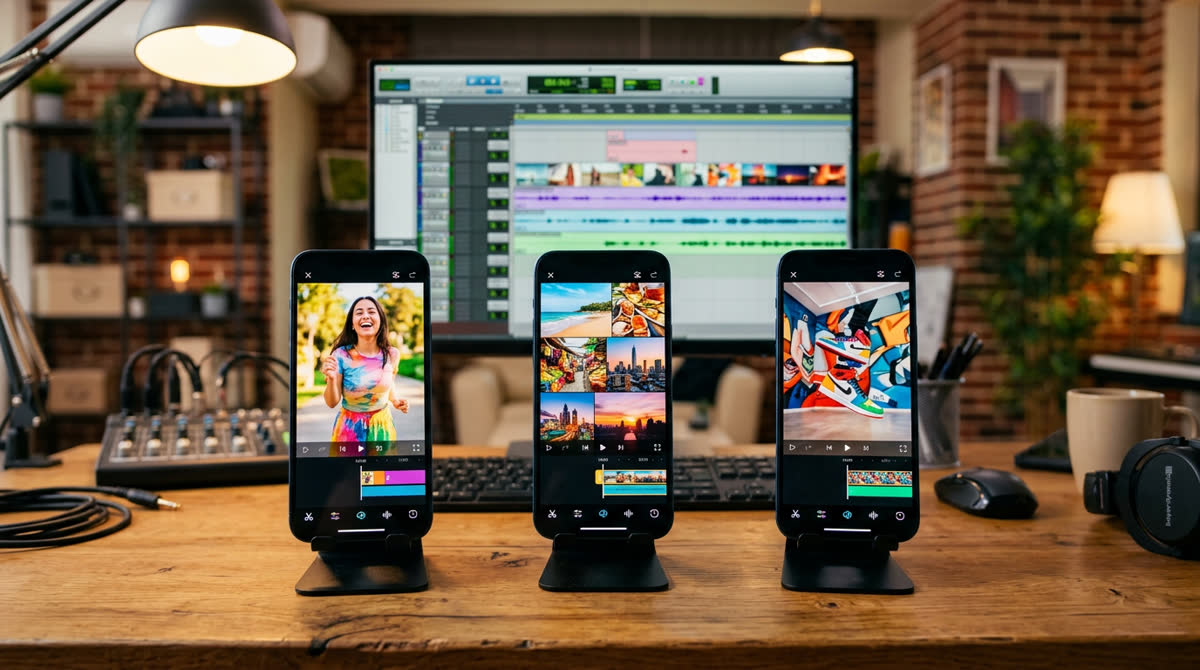
If you want to add Hindi captions to Reels free, you do not need a paid app or an editor on retainer. You can auto-generate Hindi or Hinglish subtitles from your own video, correct them in a few minutes and either export a subtitle file or burn the captions straight into the video. This guide shows the full process I use, step by step, with the small styling details that make captions easy to read on a phone in Hisar, Delhi or anywhere else.
Captions matter because a big share of people scroll Reels with the sound off: in the bus, in the office, late at night next to someone sleeping. Without text on screen, your first five seconds are silent and they keep scrolling. With clear captions, your message lands even on mute, and people who do turn the sound on follow you more easily.
Hindi script or Hinglish: which captions should you use?
Before you generate anything, decide how the words will be written. There is no single right answer; it depends on who watches you.
- Devanagari Hindi (जैसे यह) works well for audiences in smaller towns, for older viewers, for health and devotional content, and for news-style videos. It looks more formal and trustworthy.
- Hinglish in Roman script ("aaj main aapko batata hoon") is how most young people in India actually type on WhatsApp. It suits lifestyle, food, comedy, coaching and business tips aimed at 18–35 year olds.
- English captions over Hindi speech help when you want viewers outside North India or abroad to understand you too.
A simple test: look at the comments on your last ten Reels. If most people write in Roman Hinglish, caption in Hinglish. If you see many comments in Devanagari, use Hindi script. Stay consistent so your feed looks like one brand.
Method 1: Free auto captions on your own device (recommended)
The quickest free route is my AI Auto Captions generator. It runs an open speech-recognition model (Whisper) inside your browser, so your video is not uploaded to any server. It handles Hindi, Hinglish and English, and you can edit every line before exporting.
Step by step
- Export your Reel first. Finish the cuts, music and voice in your usual editor and export a 9:16 video. Captions should always be the last step, because any later cut shifts the timings.
- Open the tool and choose the language. Pick Hindi for Devanagari output or Hinglish for Roman script. For Hindi and Hinglish the tool switches to a larger model for better accuracy; the first run downloads it once (roughly 250 MB), so use Wi-Fi for that first time.
- Drop in the video and generate. On a recent laptop a 30–60 second Reel usually takes a minute or two. On older phones it can take longer, so a laptop is more comfortable for long videos.
- Correct the lines. Read every caption while the video plays. Fix names, brand names, numbers and English words spoken in a Hindi sentence (more on this below).
- Pick a style preset and export. Download an SRT or VTT file if your editor or YouTube needs subtitles, or export the video with captions burned in for Instagram.
Tip: speak clearly and keep background music low while recording. Clean audio gives far better captions than any amount of fixing later.
Method 2: Captions inside Instagram or a phone editor
Instagram offers its own captions option for Reels, and many phone editing apps include auto captions. They are convenient, but check three things before relying on them:
- Hindi support. Language support changes with app updates and region. Test with a short clip and see whether it writes proper Hindi, Hinglish or a mix of wrong English words.
- Editing control. Some built-in captions let you fix words; others only let you turn them on or off. If you cannot correct a wrong word, do not publish it.
- Watermarks and exports. Some free apps add a watermark or keep the best caption styles behind a subscription. Read the export screen before you spend time styling.
Also note that CapCut, which many creators abroad use for captions, is not available in India, so tutorials that depend on it will not help you here.
How to fix common Hindi caption mistakes
No speech model is perfect, especially with Haryanvi accents, fast speech and mixed languages. These are the errors I correct most often:
- English words in Hindi sentences. "Aapka business grow karega" may come out as broken Devanagari for "business" and "grow". Decide on one rule (keep English words in Roman, or write them in Devanagari) and apply it to the whole Reel.
- Names and places. Your name, your shop name, "Hisar", "Agroha", "Sector 14" or a doctor's name are often misheard. Fix them every time; a misspelt brand name looks careless.
- Numbers and prices. Write numbers as digits (₹499, 10 din, 2 km). They are faster to read than words.
- है / he / hai. In Hinglish, pick one spelling ("hai") and stay consistent.
- Filler words. Remove "umm", "matlab", "toh" when they add nothing. Captions can be slightly cleaner than speech as long as the meaning does not change.
Styling captions so they are easy to read on a phone
Good captions are not just correct; they are comfortable to read in half a second. Use this as a checklist:
- Short lines. Three to six words per line, never more than two lines at a time.
- Big, bold, simple font. For Devanagari, fonts like Noto Sans Devanagari, Mukta, Hind or Poppins read well on small screens. Avoid thin or decorative fonts.
- Contrast. White text with a black outline or a semi-transparent dark box works on almost any background. Yellow or lime highlights for one key word per line draw the eye.
- Safe zones. Keep captions away from the bottom of the frame, where Instagram shows your username, caption and music, and away from the right edge, where the like, comment and share buttons sit. The middle or lower-middle third is safest.
- Do not cover faces or products. If you are talking to the camera, place captions below your chin, not over your mouth.
- Timing. Each caption should appear when the words are spoken and stay long enough to read. If a line flashes too fast, merge it with the next.
Export settings for Instagram Reels
Export your captioned Reel at 1080 × 1920 pixels (9:16), H.264 video, 30 fps (or the frame rate you shot at), with AAC audio. Very large files take longer to upload on mobile data and may be recompressed heavily anyway. If you want to estimate file size before exporting, the video bitrate and file size calculator shows how bitrate and length affect the final size.
If you post the same video to YouTube Shorts, upload the SRT file there as well as, or instead of, burned-in captions. YouTube can then show captions in the viewer's chosen style, and the text helps YouTube understand what the video is about.
Write a caption and hashtags that match
On-screen captions and the post caption do different jobs. The on-screen text carries the video; the post caption adds context, a call to action and a few relevant hashtags. Write the first line of the post caption as a hook in the same language as your video. If you need ideas, the AI caption and hashtag generator can suggest Hindi, Hinglish and English captions from a frame of your video, which you can then edit in your own voice.
Quick checklist before you post
- Language decided: Devanagari, Hinglish or English, used consistently
- Captions generated after the final edit
- Names, brand, places and numbers corrected
- Maximum two short lines on screen, bold readable font
- Captions inside the safe zone, not covering faces or products
- Exported at 1080 × 1920, checked once on your own phone with sound off
Want your Reels captioned and edited for you?
If you post regularly for a business, captions are only one part of the job. I edit Reels with clean Hindi, Hinglish or English captions, hooks, music and pacing for brands in Hisar, across India and abroad. See what is included on the Reels editing in India page, or message me on WhatsApp with a sample video and I will tell you what I would change.
Frequently asked questions
Can I add Hindi captions to Reels for free?
Yes. You can auto-generate Hindi or Hinglish captions with the free AI Auto Captions tool on this site, correct them, and export an SRT file or a video with the captions burned in. Instagram and some phone editors also have built-in captions, but check their Hindi support first.
Is my video uploaded when I use the auto captions tool?
No. The speech model runs in your browser on your own device, so the video stays on your phone or computer. The first run downloads the model once, which is why Wi-Fi is better the first time.
Should I use Hindi script or Hinglish captions?
Use whatever your audience reads most comfortably. If most of your comments are in Roman Hinglish, caption in Hinglish. For older audiences, health or devotional content, Devanagari Hindi often feels more natural and trustworthy.
Why are some words wrong in my auto-generated Hindi captions?
Fast speech, accents, background music and English words inside Hindi sentences confuse speech models. Record with clean audio, keep music low, and always proofread names, brand names, places and numbers before posting.
Where should captions sit on a Reel?
In the middle or lower-middle part of the 9:16 frame. Avoid the bottom area where Instagram shows your username and caption, and the right edge where the like and share buttons are.