Instagram Reels
Instagram Reels Editing Tips That Help Your Reach in India
Practical Instagram Reels editing tips for Indian creators and local businesses: hooks, pacing, Hinglish captions, audio, covers and exports.
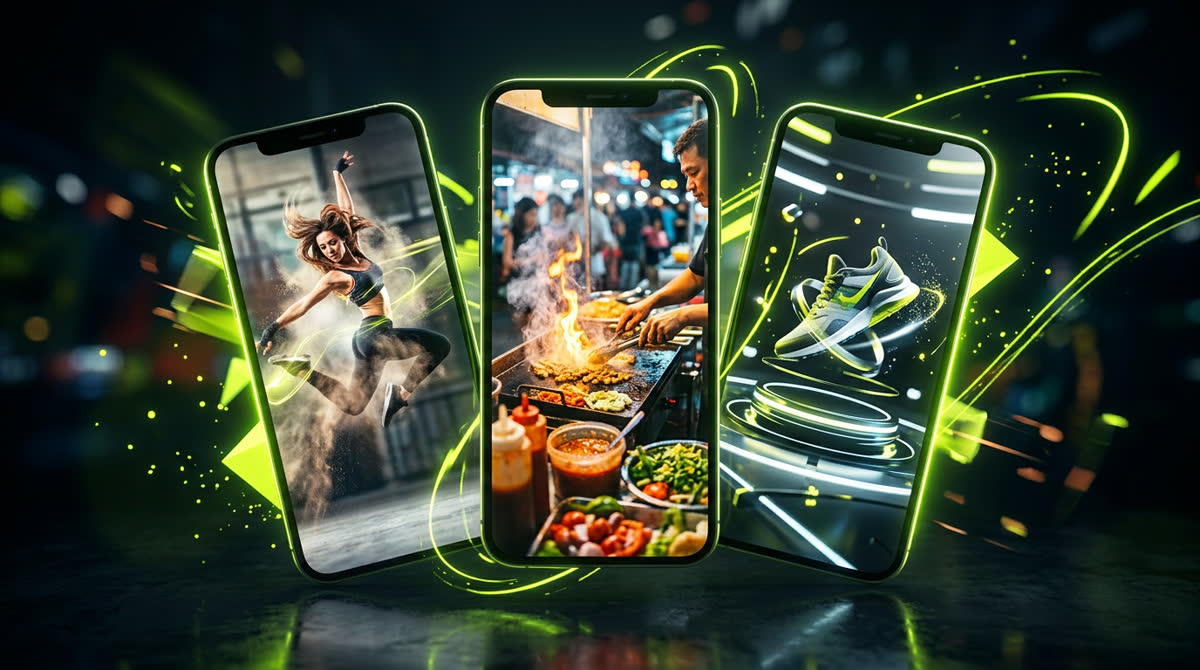
These Instagram Reels editing tips are written for people creating for Indian audiences: a boutique in Hisar, a coaching institute in Kota, a café in Chandigarh, a doctor in Rohtak or a creator anywhere who talks in Hinglish. Reach on Instagram depends on many things you cannot control, but editing is the part you fully control. A well-edited Reel keeps people watching, gets rewatched and gets shared on WhatsApp, and those are the signals that give it a fair chance to travel.
No editing trick guarantees views. What good editing does is remove the reasons people scroll away.
1. Edit the first two seconds like a headline
People decide almost instantly whether to keep watching. Your opening frame should already show what the Reel is about:
- Start on movement or the result, not on you saying "hi guys".
- Put a short text hook on screen from frame one: "₹500 mein 3 outfit ideas", "Hisar ka sabse purana samosa?", "Doctor se suniye: acidity ke 3 kaaran".
- Cut any silence before the first word. Even half a second feels slow.
- If your best moment is in the middle, show a two-second flash of it at the start, then tell the story.
2. Cut tighter than feels natural
Watch your edit and remove every breath, pause and repeated word that does not add meaning. Jump cuts are normal on Reels. To keep them smooth, alternate between a normal frame and a slight zoom-in on every second cut. If you used one long take, add small punch-ins on key words to create rhythm.
But do not cut so fast that viewers cannot follow. A recipe or a skincare step needs enough time to be understood. Clarity beats speed.
3. Captions in the language your audience reads
A lot of Reels are watched on mute. Burned-in captions make your Reel work in a crowded bus or a quiet office. Choose Devanagari Hindi, Roman Hinglish or English based on what your followers write in comments, and stay consistent. The free AI auto captions generator creates Hindi, Hinglish or English captions on your own device, which you can then correct and style.
- Two short lines at most, bold font, strong contrast.
- Highlight one key word per line in a brand colour.
- Keep text in the middle area, away from the bottom caption area and the right-side buttons.
4. Treat audio as half the video
- Voice first. Record close to the phone or use a basic lapel mic. Clear voice matters more than a fancy camera.
- Music under the voice. Background music should sit well below speech. If people have to strain to hear you, they leave.
- Trending audio, used wisely. Trending sounds can help discovery, but they should fit the content. Note that business accounts on Instagram have limited access to popular commercial music; the royalty-free library inside Instagram is the safe option for brands.
- Sound effects. A soft whoosh on a transition or a click on a text pop adds polish. One or two per Reel is enough.
5. Frame for 9:16 from the start
Shoot vertically, keep your face or product in the centre, and leave room at the top and bottom for text and Instagram's interface. If you repurpose horizontal footage, do not simply place it in the middle with black bars; reframe it, crop in, or use split layouts. Export at 1080 × 1920 pixels.
6. Build a loop
Rewatches are a strong sign that a Reel is worth watching. Make the last frame flow naturally into the first: end mid-sentence that the opening completes, or end on the same visual you opened with. For tutorials, a quick recap of all steps in the final three seconds encourages a replay or a save.
7. Make it shareable on WhatsApp
In India, a lot of sharing happens through WhatsApp and DMs. Reels that get sent are usually useful, relatable or funny. Ask yourself while editing: would someone send this to a friend, a family group or a colleague? Add a closing line that invites it naturally: "Is dost ko bhejo jo hamesha late hota hai" works better than "please share".
8. Use colour and text styles consistently
Pick one caption style, one or two fonts and your brand colours, and use them on every Reel. When your Reels look consistent, people start recognising you before they see your name. A light, consistent colour grade also helps; avoid heavy filters that turn skin orange or make food look grey.
9. Choose a strong cover
Your cover shows on your profile grid and in some feeds. Pick a clear frame with your face or product and a short title. You can grab a sharp still from your edit with the video thumbnail grabber and add a title in your brand style. Keep covers consistent so your profile looks organised.
10. Write the caption and hashtags last
The first line of your post caption should add to the video, not repeat it: a question, a promise or a call to action. Use a handful of relevant hashtags rather than thirty random ones, including a local tag where it fits (#hisar, #haryana). For ideas in Hindi, Hinglish or English, the AI caption and hashtag generator suggests captions from your video, which you can edit in your own voice.
11. Plan around Indian moments
Festivals, wedding season, exam season, cricket matches and monsoon all change what people watch. Plan Reels around them a week or two ahead instead of rushing on the day. The free Indian festival content calendar helps you see what is coming. Make festival Reels useful (gift ideas, a recipe, a behind-the-scenes look) rather than plain greeting slides.
12. Learn from your own numbers
Open Insights for each Reel after two or three days. Look at how many people watched past the first few seconds, the average watch time, shares and saves. Compare your best three and worst three Reels and note what is different: the hook, the length, the topic or the format. Then edit the next batch based on that, not on general advice, including this article.
Instagram also offers trial Reels for professional accounts, which show a Reel to non-followers first. If you have it, it is a low-risk way to test a new hook or format.
Reels editing checklist
- Hook visible and readable in the first two seconds
- All dead air and repeated lines cut
- Captions in your audience's language, inside safe zones
- Voice clear, music below it, licensed audio for business accounts
- 9:16 at 1080 × 1920, subject centred
- Ending loops or recaps, and a reason to share
- Consistent fonts, colours and cover style
Want your Reels edited for you?
I edit Reels for brands, clinics, coaches and creators in Hisar, across India and worldwide, with Hindi, Hinglish or English captions, sound and covers. See the Reels editing in India page and the social media design page, or send me a sample Reel on WhatsApp and I will tell you what I would change.
Frequently asked questions
How long should an Instagram Reel be for good reach?
There is no single ideal length. Many short Reels of 7 to 30 seconds do well because people finish and rewatch them, but tutorials and stories can work at a minute or more if every second is useful. Check your own average watch time in Insights.
Do trending songs increase Reel reach?
They can help with discovery when the sound fits your content. Business accounts have limited access to popular commercial music, so brands should use Instagram's royalty-free library or licensed tracks.
Should I add captions to every Reel?
Yes, for any Reel with speech. Many people watch on mute, and captions in Hindi, Hinglish or English make your message clear without sound.
Is it okay to post the same Reel on YouTube Shorts?
Yes, but upload the original file without another app's watermark, and adjust the caption and title for YouTube. Original, clean uploads are treated better on both platforms.
What is the best export size for Instagram Reels?
Export in 9:16 at 1080 × 1920 pixels, H.264 MP4, at the frame rate you shot. Check text placement on your own phone before posting.